Master Packager 25.1.9138 Release Highlights

- Master Wrapper now supports the latest version of PSADT - 4.0.4. 2. Master Wrapper now shows recently opened projects 3. Remove MSI using the Product Name in PSADT V4 4. Wrap .MSP files faster 5. Master Wrapper saves you from trouble by not letting you save PSADT in specific Windows folders 6. Built-in snippets available for Master Wrapper community license users 7. Master Repackager warning when launched on physical PC.
Build Windows application packages that end-users love, enterprises want, and the Windows OS needs. We’re here to help you become a Master Packager.
-
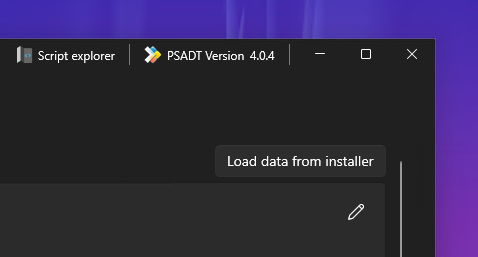
Master Wrapper now supports the latest version of PSADT - 4.0.4. Master Wrapper is the best way to wrap your packages in PSAppDeployToolkit. No need to read the documentation. No need for extensive training of your beginner teammates. No need to check for typos. If you want to significantly improve your packaging speed and quality, look at Master Wrapper.
-
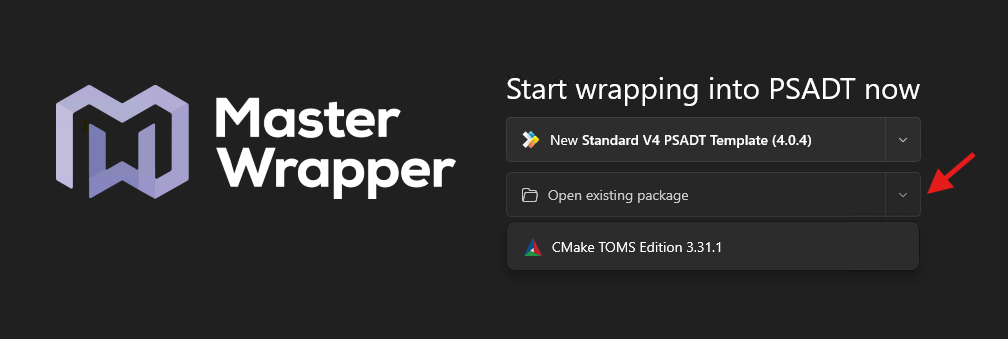
Master Wrapper now shows recently opened projects. You can also open a project by right-clicking the main PSADT AppDeployToolkit PS1 file.
-
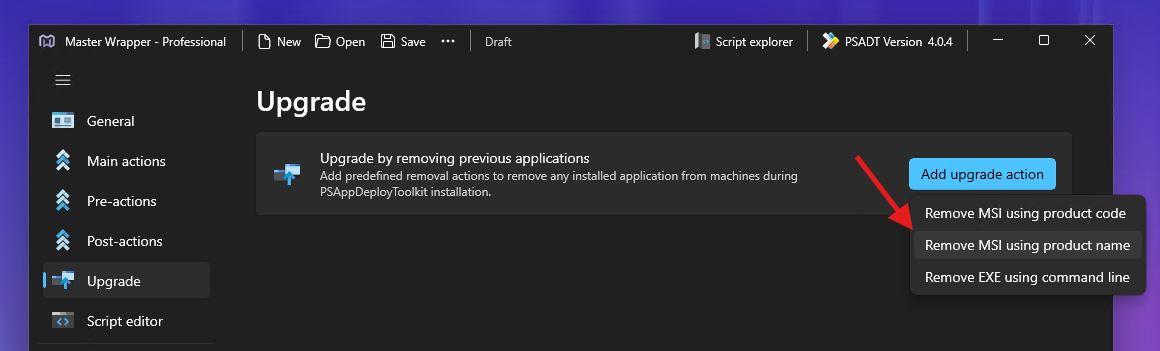
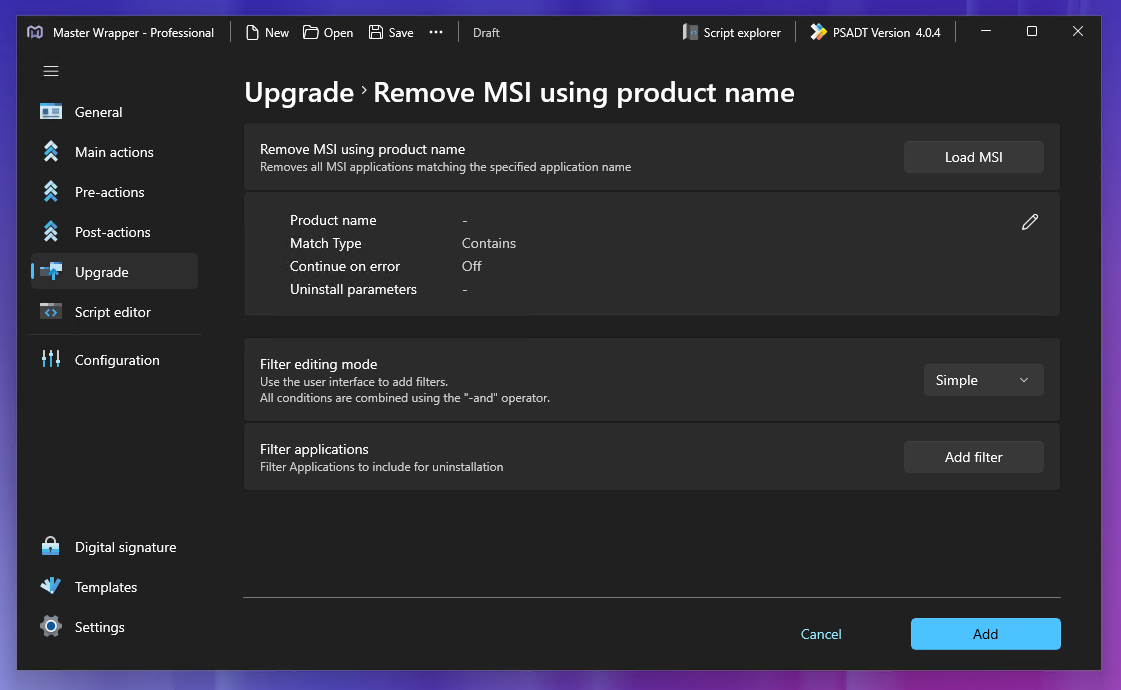
With Master Wrapper and PSADT V4 now you can also set to remove MSI using Product Name as an upgrade action. Before, we only supported it for PSADT V3.
-
Improved support for .MSP files. If you package app .MSP files into PSADT, you can now right-click the .MSP file to load general info and install command-line details automatically.
-
Now when saving a PSADT project from Master Wrapper, we’ll notify you if the destination folder is not empty. This is particularly useful for predefined locations, such as the user’s desktop or document folder, where saving PSADT with many files could cause issues.
-
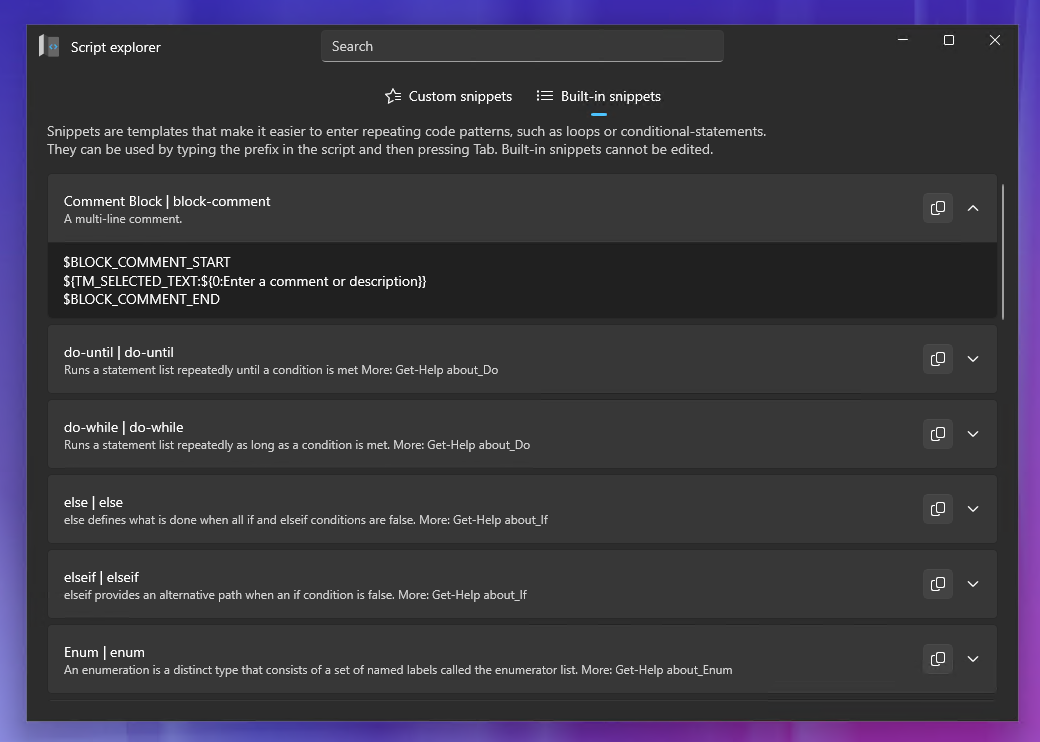
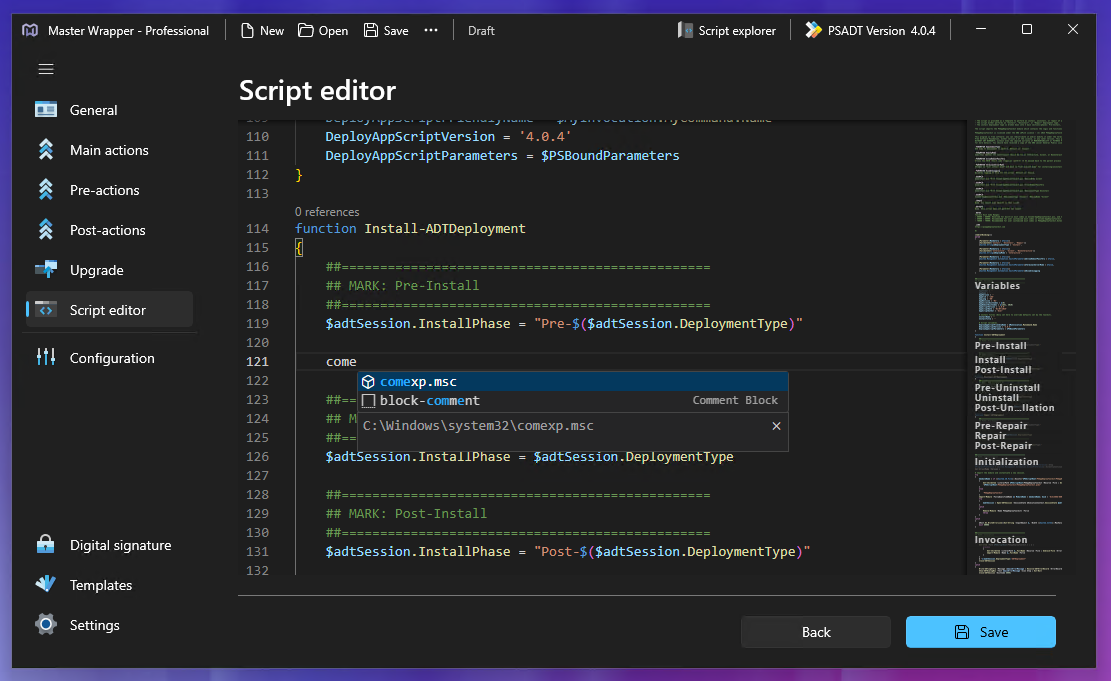
We’ve made built-in snippets available from the script editor for Master Wrapper community license users.
-
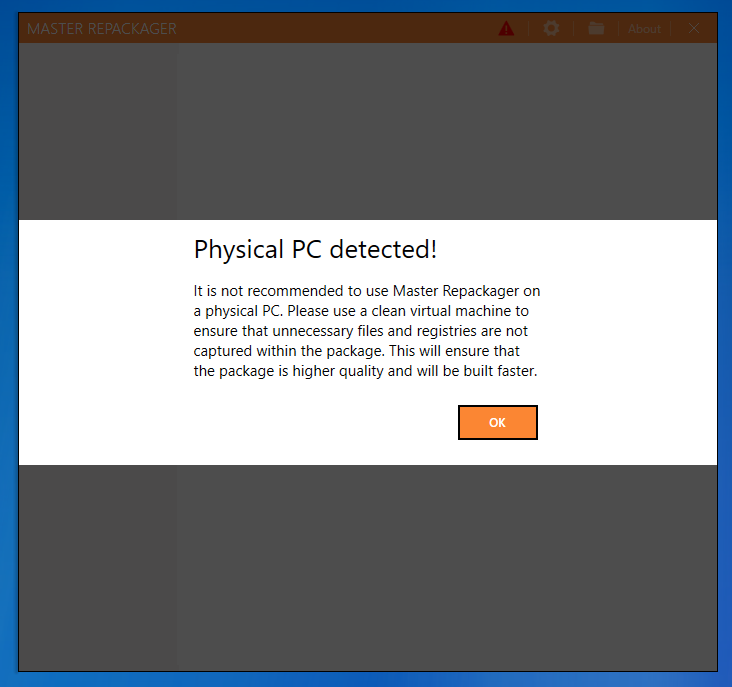
Proper repackaging should be done on a clean Virtual Machine, but not everyone knows that. Now, users launching Master Repackager on a physical PC will be informed of this best practice.
-
Automated upgrade table updates. Packagers often copy a previous package MSI to use as a template for a newer version and then increase the MSI version. We now detect this and automatically update the upgrade table references. It’s a small change, but it saves a lot of time in the long run.
We’ve improved many other features in Master Packager and fixed all known bugs.
Many of these improvements were prioritized and added because our users told us what they were missing. Join the Master Packager community and become a Master Packager faster.